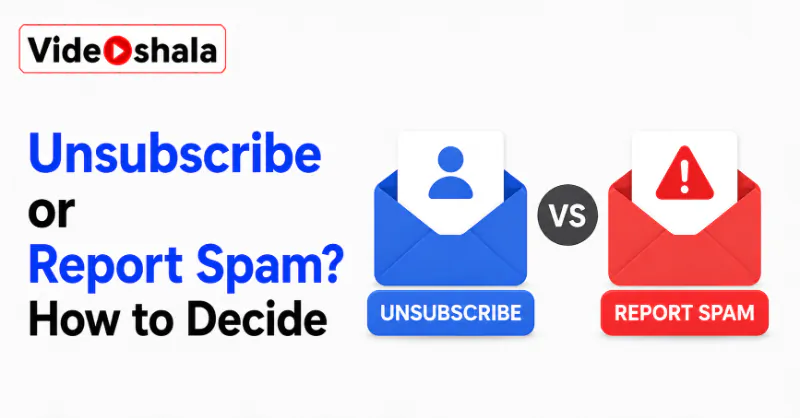
Two emails can look identical in your inbox. One is a shop you bought from once, still emailing you two years later. The other is a stranger who bought your address from a list. Both carry an unsubscribe link. The right response to each is completely different. Press the wrong one and you make your problem worse.
The good news is that telling them apart takes one question. Once you know it you never have to think about this again.
The rule in five lines.
- Ask: did I ever sign up for this? That single question decides everything.
- Signed up, sender recognised: click unsubscribe. It is safe and legally required to work.
- Never signed up, sender unknown: do not click anything. Report it as spam.
- Already in the Spam folder: do nothing. It is handled.
- Never reply to spam either, since replying proves your address is live just as well.
What to focus on
These are the real questions behind that little link. Here are the answers.
- Is unsubscribe safe? Yes on mail you signed up for. No on mail from a stranger.
- Why is it risky? On spam it confirms a real person read it, so your address becomes worth more.
- What do I press instead? Report spam or mark as junk. It removes the mail and trains your filter.
- What about my Spam folder? Leave it alone. Opening it defeats the point.
- Should I report newsletters I chose? No. Unsubscribe from those, since they played fair.
The one question that decides it
Everything here comes down to whether the sender is running a real mailing list or simply hunting for live addresses. You cannot always tell from the design of the email, which is the whole problem, since spam is built to look legitimate. What you can tell is your own history.
Did I ever sign up for this? Yes means unsubscribe. No means report it as spam. If you cannot remember signing up but the sender is a company you genuinely use, that counts as yes. If it is a name you have never heard of offering something you never asked about, that is a no.
When unsubscribe is the right button
Legitimate marketing email is required by law in most countries to include a working unsubscribe link. Reputable companies honour it, because ignoring it puts them in legal trouble and wrecks their sender reputation. So for the shop you bought from, the newsletter you signed up for in 2019 or the service you actually use, unsubscribe is exactly the right tool. It is quick and it genuinely stops the mail.
On mail you asked for, unsubscribing is not just safe, it is the polite and effective option. Many providers also show their own unsubscribe button near the sender's name, which is the safest version of all, since it uses the mail system rather than the sender's link.
When it quietly makes things worse
Here is the part people get wrong. A real spammer is not running a mailing list, so there is nothing to remove you from. That link exists for a different purpose. Clicking it tells them a human being read the message, which turns your address from a guess into a confirmed, active one. Confirmed addresses are worth more when sold on. So the flood of junk usually grows rather than stops.
On real spam, unsubscribe is not an exit; it is a survey asking whether anyone is home. There is a second risk too. The link may not be an unsubscribe at all. It can lead to a fake login page built to steal your password or to a page that tries to install something on your device. Security guidance is consistent on this: do not click links in a suspicious message, including the unsubscribe one.
What to press instead
Use your provider's own report tool. In most services it sits in the toolbar as Report spam, Report junk or Mark as junk. It does two useful things at once: it removes the message and it teaches your filter what to catch next time. Blocking the sender helps too, though spammers change addresses constantly, so the filter training matters more.
Report spam removes the message and trains your filter, without ever telling the sender you exist. Then delete it. Do not reply, not even to tell them to stop, since a reply confirms your address just as well as a click.
Leave your Spam folder alone
One thing that is easy to miss. If the junk is already landing in your Spam folder, the filter has done its job. It is not harming you sitting there. Providers clear those messages automatically after a few weeks.
Mail in the Spam folder needs no action from you at all; opening it only signals that someone is reading. Worth knowing though: filters are not perfect, so glance at Spam occasionally in case something real landed there. That is one of the first places to look when emails go missing from your inbox.
The habit that actually shrinks the pile
Reacting to junk is losing the game. Spammers get your address from data breaches, brokers and bots that scrape it off the web, so the real fix is giving out your main address less. Keep a second, throwaway address for shopping, competitions, downloads and any sign-up you do not fully trust. Then your main inbox stays for people who matter.
A second address for sign-ups you do not trust does more for your inbox than any amount of unsubscribing. While you are tidying up, remember that clearing image-heavy newsletters also helps if you are running out of room, which our guide on why your email storage is full covers. If a message is not just junk but pretending to be someone you know, our guide on signs your email was hacked is the next stop.