Years of your working life pass through a work inbox: the contacts you made, the projects you are proud of, the odd personal message that landed there. So when you hand in your notice, it is natural to want to keep some of it. The problem is that the mailbox was never really yours. The clock is also shorter than most people expect.
Search for this and you get a wall of pages selling backup software, none of which mention the two things that actually matter: how little time you may have and where the legal line sits. Here is the honest, practical version.
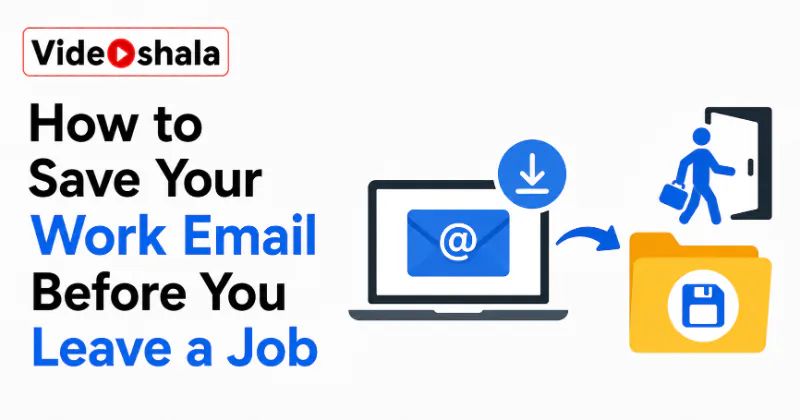
The whole process is short.
- Start early, before you give notice if you can, while you still have full access.
- Sort out what is actually yours: your personal mail, contacts you own and your own work samples where policy allows.
- Forward the few messages that are yours to your personal address. Save any critical ones as a PDF.
- Export your contacts to a CSV file if the account permits it.
- Leave anything confidential or client-owned in place. Confirm with IT or HR what you are allowed to take.
The catch nobody tells you: it is not your mailbox
The uncomfortable truth first. A work email account belongs to the employer, not to you. They can disable or wipe it the moment your notice lands, sometimes within the hour. They are fully within their rights to do so.
Assume access could vanish the day you resign, not on your final day. That single assumption changes everything about timing. If there is anything of yours in there, the safe window is now, while you still have normal access, not the afternoon of your last shift.
How much time do you really have?
It varies more than you would think. In many roles you keep normal access through your notice period, which gives you weeks. But in others, especially finance, sales and any competitive or client-facing position, it is common to be walked out the same day you resign, with the account cut within minutes. Some companies revoke access the instant a resignation is logged in the HR system, before you are even back at your desk.
The safest assumption is that today is the last day you can rely on having access. If you are even thinking about leaving, quietly save your own contacts and any personal messages now, while nothing is urgent. It is far easier to delete a copy you did not need than to recover one you can no longer reach.
Decide what is actually yours to take
Before saving anything, draw a clear line. What is fairly yours: personal messages you sent or received, contacts and relationships you personally built and copies of your own work you are allowed to keep as a portfolio. What is not yours: confidential company information, client personal data, internal documents, anything covered by your contract or an NDA.
Taking confidential or client data can breach your contract or the law, so leave it where it is. When in doubt, treat it as the company's and leave it. This is the part the tool-selling guides skip. It is also the part that can actually get you into trouble.
Save the mail that is yours
For the handful of personal messages worth keeping, the simplest route is to forward them to your personal address, one at a time or as a small batch. If auto-forwarding is available and allowed, you can set a rule, though many companies block or monitor this, so check first. For anything you want as a clean record, open the message and save or print it as a PDF, which keeps the content and date in a file you own.
Forwarding and save-as-PDF are the two routes least likely to be blocked on a managed account. Do not count on bulk export just yet, since managed accounts often grey it out completely.
Save your contacts
Contacts are often the most valuable thing to keep and usually the most portable. If the account allows it, export your contacts to a CSV file, which opens in any spreadsheet and imports into any new mail account later. In Outlook this sits under the import and export wizard; in a Google account it is in the Contacts export menu.
A CSV of your own contacts is small, portable and easy to move into your next account. Keep only the people who are genuinely your professional network, not the full company directory, which is company property.
If IT has locked everything down
On tightly managed accounts, forwarding is blocked, export is greyed out and the whole mailbox is out of your hands. That is not a wall to climb; it is a signal.
If the account is locked down, the right move is to ask IT or HR what you may take, not to find a workaround. Explain that you want your personal messages and contacts, then let them provide those through an approved route. It protects you and keeps the exit clean. Trying to smuggle data out of a locked account is exactly what lands former employees in legal trouble.
Do this for your personal accounts too
One last thing worth remembering. The same logic runs in reverse for your own personal email: if losing access would hurt, keep a copy outside the account before anything goes wrong, using a free route like Google Takeout for a personal Google account.
The habit that saves your work mail is the same one that protects your personal mail: keep a copy you own. Our guide on losing access to an email account covers why that matters. The post on whether your email is automatically backed up explains why the cloud alone is not a backup. Our explainer on how an email backup tool works shows how those copies are made.